-
下载地址:http://apache.fayea.com/hadoop/common/
-
解压文件··"/usr/local/hadoop"
3.修改配置文件etc/hadoop/core-site.xml:
<configuration>
    <property>
        <name>fs.defaultFS</name>
        <value>hdfs://localhost:9000</value>
    </property>
</configuration>
4.etc/hadoop/hdfs-site.xml:
<configuration>
    <property>
        <name>dfs.replication</name>
        <value>1</value>
    </property>
</configuration>
5.添加无密码登··
$ ssh-keygen -t dsa -P '' -f ~/.ssh/id_dsa  #生成公钥
$ cat ~/.ssh/id_dsa.pub >> ~/.ssh/authorized_keys  #添加公钥
6.本地运行MapReduce job
   ./bin/hdfs namenode -format            #格式化文件系··
   ./sbin/start-dfs.sh                            #启动服务
   启动后查看一·· http://localhost:50070/是否全部启动
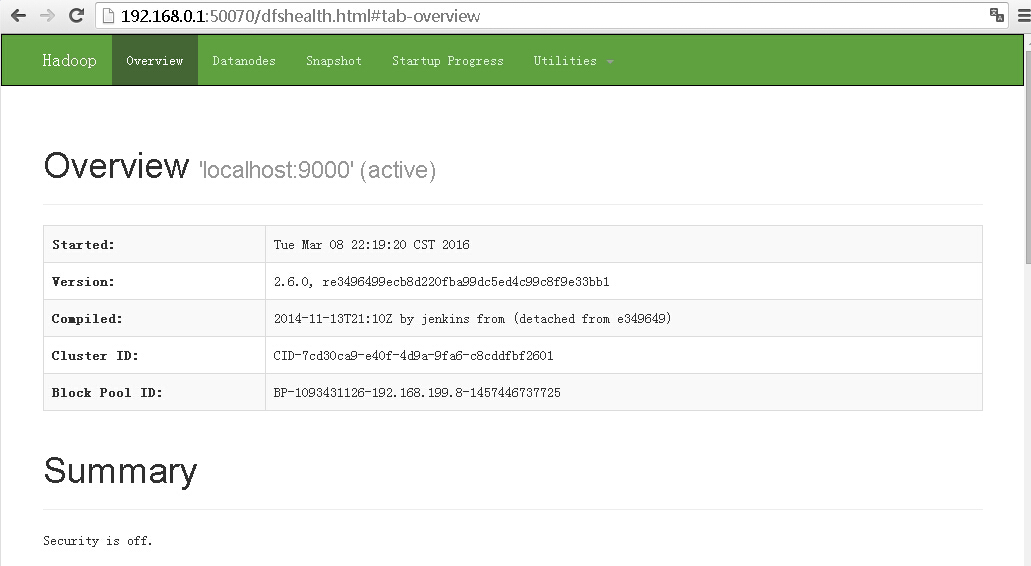
  ./bin/hdfs dfs -mkdir /user             #创建··/user”目··
  ./bin/hdfs dfs -mkdir /user/testdir    #创建··/user/testdir”目··
  ./bin/hdfs dfs -put etc/hadoop /user/testdir/  #把当前的“etc”目录下的“hadoop”目录put到hdfs的··/user/testdir/”目录下
  ./bin/hdfs dfs -get /user/testdir/hadoop /tmp/test/  #把hadoop内的··/user/testdir/hadoop"目录拉到 "/tmp/test/"
 ./bin/hdfs dfs -ls /user/baishaohua/hadoop/mapred-site.xml.template    #查看“hadoop”的目录下文··
-rw-r--r-- 1 root supergroup 758 2016-03-08 22:27 /user/baishaohua/hadoop/mapred-site.xml.template
./bin/hdfs dfs -cat /user/baishaohua/hadoop/mapred-site.xml.template #查看hadoop中文··
<?xml version="1.0"?>
<?xml-stylesheet type="text/xsl" href="configuration.xsl"?>
<!--
  Licensed under the Apache License, Version 2.0 (the "License"